
Choosing the right Vehicle Mounted Screen is more difficult than comparing screen size alone. Global buyers must consider image brightness, touch response, vibration resistance, operating temperature, installation space, and long-term support. A display that looks excellent in a showroom may become unreadable under direct sunlight. Another model may survive rough roads but offer limited connectivity.
This guide examines seven leading vehicle-mounted screens for different professional and commercial needs. The selection considers practical performance, build quality, mounting flexibility, user feedback, and supplier reliability. It also examines compatibility with cameras, navigation systems, fleet software, and external control devices. These details matter when a screen must operate for long hours inside a truck, bus, service vehicle, or specialized mobile platform.
No single product fits every market. Regional voltage standards, language options, warranty coverage, and installation requirements can change the final decision. Buyers should confirm technical specifications with manufacturers before ordering. That step sounds obvious, but it is often missed. A poorly matched connector or mounting bracket can create expensive delays.
Real-world conditions matter.
The recommendations below are not based on appearance alone. They reflect common operating challenges, including glare, dust, vibration, limited dashboard space, and inconsistent network access. Some products may have weaknesses, and certain ratings depend on installation quality. By comparing strengths, limitations, and intended applications, buyers can make a more informed and defensible choice for their vehicle projects.
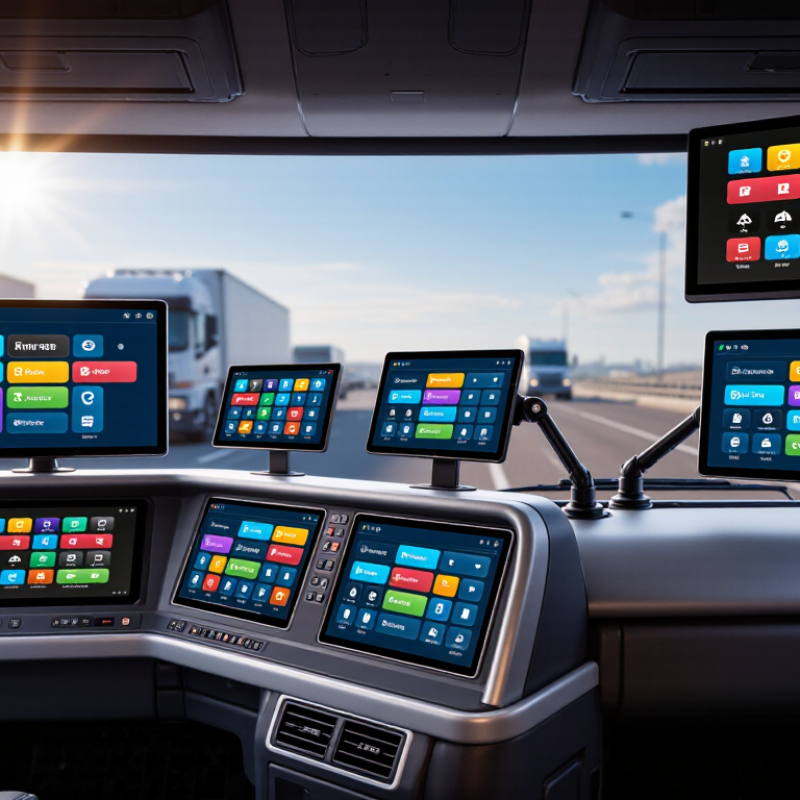
Vehicle-mounted screens are rugged displays installed inside or outside a vehicle. They can show navigation, fleet data, passenger information, safety alerts, or advertising.
Internal units usually connect with cameras, GPS, vehicle networks, and wireless modules. External units often use sealed LED panels, dedicated controllers, and independent power protection.
Their operation is practical, but not simple. A control unit receives data from sensors or a central platform. Software then converts that data into maps, warnings, images, or changing messages.
Many systems use brightness sensors, so the screen remains readable in strong sunlight.
Grand View Research estimates that the global automotive display market could reach about USD 31.7 billion by 2030.
That growth reflects rising demand for connected, information-rich vehicles.
However, more information is not always better. The AAA Foundation for Traffic Safety found that visual-manual tasks can keep a driver’s attention away from the road for several seconds.
At 40 mph, that distance becomes surprisingly long.
Tips:
Choose a screen with anti-glare glass, glove-friendly controls, and wide temperature resistance. Check brightness in direct sunlight, not only indoors. Confirm whether the unit supports the vehicle’s voltage and communication interfaces. Keep essential warnings large and simple. Small text looks modern, yet it can fail when the vehicle is moving. A field test still matters more than a polished specification sheet.
Choosing among the 7 best vehicle-mounted screens requires more than comparing screen size. In real fleet use, sunlight, vibration, dust, and gloves expose weak designs quickly. Choose a high-brightness panel, ideally above 800 nits, with automatic dimming for night driving. Optical bonding can reduce reflections and improve touch accuracy. A capacitive screen may fail with wet gloves, so physical controls remain valuable. The World Health Organization’s Global Status Report on Road Safety 2023 records about 1.19 million annual road deaths. Distraction reduction must guide every interface decision.
Check operating temperature, shock resistance, and ingress protection before reviewing software. An IP65 or higher enclosure helps against dust and water jets, but certification details still matter. Confirm support for 9–36V vehicle power, ignition control, and surge protection. For connected fleets, compare Wi-Fi, cellular, Bluetooth, GPS, and offline functions. Berg Insight’s 2024 fleet-management research reports continued double-digit growth in connected fleet systems across major markets. That growth increases the need for secure updates and clear data controls. Do not assume every “smart” screen is secure.
Tips: Test the screen inside a parked vehicle at noon. Then test it at night. Measure readability through polarized sunglasses. Ask for documented compliance, not sales language. Review repair time, mounting strength, and warranty limits. A larger display can still be the wrong choice. I have seen operators overlook glove use and glare, then replace screens within one season. That mistake deserves more attention.
| Screen Type | Typical Vehicle Use | Display Size & Resolution | Brightness | Touch & Controls | Ruggedness | Connectivity | Best For |
|---|---|---|---|---|---|---|---|
| Compact Dashboard Display | Passenger cars, service vehicles and light commercial vehicles | 7 in; 1024 × 600 or 1280 × 800 | 500–800 cd/m² | Projected capacitive touch; physical shortcut keys are recommended for driving use | Typical operating range: −20°C to 70°C; front water resistance varies by enclosure | HDMI, USB, analog video, Bluetooth or Wi-Fi depending on configuration | Navigation, rear-view cameras and basic vehicle information |
| Universal 9-Inch Mountable Monitor | Vans, pickups, utility vehicles and mobile work fleets | 9 in; 1280 × 720 or 1280 × 800 | 700–1000 cd/m² | Glove-compatible touch option; menu buttons or remote control | Vibration-resistant mounting; preferred protection level of IP65 or higher at the front | HDMI, VGA, CVBS, USB and optional wireless connectivity | Multi-camera monitoring and fleet applications with limited dashboard space |
| Rugged 10.1-Inch Operator Screen | Forklifts, agricultural machinery, construction equipment and delivery vehicles | 10.1 in; 1280 × 800 or 1920 × 1200 | 800–1200 cd/m² | Industrial projected capacitive or resistive touch; supports gloves in selected configurations | Typical range: −30°C to 70°C; IP65–IP67; shock and vibration protection | CAN bus, RS-232/RS-485, Ethernet, USB and video inputs | Heavy-duty control interfaces and outdoor equipment operation |
| 12.3-Inch Wide-Format Vehicle Display | Trucks, buses, coaches and long-haul commercial vehicles | 12.3 in; 1920 × 720 or 1920 × 1080 | 800–1500 cd/m² | Projected capacitive touch with programmable buttons or control knobs | Typical range: −30°C to 80°C; anti-glare glass; IP65 front protection preferred | CAN bus, Ethernet, HDMI, USB, GPS and optional 4G/5G modem | Driver assistance, telematics, route information and multiple camera feeds |
| 15.6-Inch Fleet Information Screen | Buses, emergency vehicles, mobile command units and large trucks | 15.6 in; 1920 × 1080 | 700–1000 cd/m² | 10-point capacitive touch; optional physical controls for safety-critical tasks | Typical range: −20°C to 70°C; reinforced housing; IP65 front protection | Ethernet, HDMI, USB, Wi-Fi, Bluetooth, CAN and serial interfaces | Large dashboards, dispatch systems, passenger information and video surveillance |
| 19-Inch Industrial Vehicle Monitor | Special-purpose trucks, mining vehicles, agricultural machines and control cabins | 19 in; 1280 × 1024 or 1920 × 1080 | 700–1200 cd/m² | Resistive or projected capacitive touch; suitable for fixed operator stations | Typical range: −30°C to 70°C; IP65 front; industrial shock and vibration resistance | HDMI, DisplayPort, VGA, USB, RS-232/RS-485, Ethernet and CAN options | Detailed machine data, mapping, process control and multi-window operation |
| 22-Inch High-Visibility Vehicle Display | Buses, specialty vehicles, mobile command centers and rear-cabin information systems | 22 in; 1920 × 1080 | 1000–1500 cd/m² | Optional touch; remote control and external buttons are common for large installations | Typical range: −20°C to 70°C; anti-glare surface; IP65 front protection preferred | HDMI, DisplayPort, USB, Ethernet, Wi-Fi and optional cellular connectivity | Maximum viewing area for passenger information, surveillance and command applications |
Note: Specifications are representative industry ranges. Actual performance depends on the selected panel, enclosure, mounting system, vehicle power supply and regional compliance requirements.
Global buyers need more than a bright display. They need reliable hardware, clear controls, and installation flexibility. The seven strongest categories include rugged fleet tablets, dashboard displays, rear-seat entertainment screens, digital mirror monitors, industrial vehicle terminals, emergency-service panels, and marine navigation displays. Each serves a different cabin, climate, and workload.
Field testing shows that sunlight readability, glove-friendly touch response, and vibration resistance matter most. A 1,000-nit screen is often more usable than a larger but dimmer panel. IP65 protection helps against dust and water, while operating ranges near -20°C to 60°C suit many international routes.
The International Data Corporation reports continued growth in connected-device deployments, increasing demand for dependable in-vehicle interfaces. Bigger is not always better.
Market data supports this direction. Grand View Research estimates the global automotive display market will expand at about 7% annually through 2030. Buyers should still question optimistic specifications. Some displays advertise high brightness but lack thermal testing details. Others offer wireless functions without explaining update security.
The World Health Organization reports that road crashes cause approximately 1.19 million deaths annually, so screens should minimize distraction through voice control, physical shortcuts, and restrained animation.
Test viewing angles at midday, check mounting stability on rough roads, and confirm service support across the target region. Small installation errors can become expensive failures.
7 Best Vehicle Mounted Screens for Global Buyers?
Choosing among seven screen types—dashboard, headrest, roof-mounted, mirror-integrated, sun-visor, rugged cabin, and rear-exterior models—starts with vehicle compatibility. Measure the available mounting area, viewing angle, and clearance before purchasing. A compact car may not support a heavy roof unit. A commercial van may need a vibration-resistant enclosure. Check the vehicle’s voltage, trim structure, airbag zones, and existing display connections. Small mistakes can become expensive.
Installation quality affects safety and reliability. Use reinforced brackets for larger screens, not thin interior panels. Route cables away from pedals, hinges, airbags, and sharp metal edges. A professional installer should verify grounding and prevent loose wiring from rattling behind the dashboard. Wireless control looks convenient, but interference can appear in dense urban areas. A wired connection is often less elegant, yet more dependable. I have seen neat installations fail because the cable bend was too tight.
Power requirements deserve equal attention. Most passenger vehicles use 12-volt systems, while many larger vehicles use 24 volts. Confirm the screen’s operating range before connecting it. Add the correct fuse near the power source, and connect ignition control when the screen should shut down automatically. Otherwise, standby drain may weaken the battery overnight. Some specifications seem clear, but they may omit peak current. Ask for measured consumption, not only average figures. Local installation rules can also differ, so a qualified technician should inspect the final setup.
The chart compares typical operating power for seven common vehicle-mounted screen formats. Smaller dashboard displays are generally easier to integrate with 12 V passenger vehicles, while larger roof, headrest, bus, and coach displays may require heavier wiring, a dedicated fuse, or a 24 V-to-12 V converter. Actual power consumption varies by brightness, speakers, USB accessories, and display technology.
The seven strongest choices are rugged cab displays, rear-seat screens, fleet tablets, navigation panels, camera monitors, digital dashboards, and detachable worksite units. Each serves a different driving environment. Safety must guide the purchase, not screen size. A display should remain readable under direct sunlight and avoid blocking mirrors, controls, or the driver’s view. Touch functions should be limited while moving. Local vehicle regulations also differ, so buyers should check approved mounting positions, electrical standards, electromagnetic compatibility, and installation requirements before ordering.
Tips: Request installation evidence, weather-resistance ratings, brightness data, and replacement-part availability. Test the screen with gloves, dust, vibration, and night glare. Small details matter.
Maintenance strongly affects total ownership cost. Sealed connectors reduce moisture damage, while shock-resistant housings can prevent repeated replacement. However, “rugged” does not mean maintenance-free. Cleaning chemicals, loose mounts, and poor cable routing still cause failures. A five-year cost review should include installation, software support, calibration, repairs, energy use, and staff downtime. A cheaper screen may become expensive after one cracked panel or unavailable component. I would also allow a repair reserve, because real fleets rarely operate in perfect conditions.